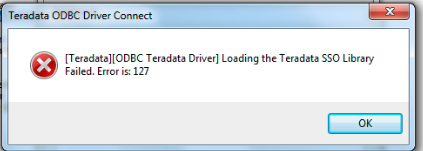
Error message: "Invalid connection string attribute. Loading the Teradata SSO library failed. Error is 127."

Solution:
Make sure the Teradata ODBC driver and the version of erwin match the same bit level (32-bit / 64-bit OS).
If erwin is 64-bit, then the ODBC driver has to be 64-bit as well. Same thing for 32-bit versions.
If after making sure the versions are correct, the error persists, try the following:
1. Navigate to C:\Program Files\CA\ERwin Data Modeler r9
2. Search for 'msvcr110.dll' and 'msvcp110.dll' files - confirm these two dll are outdated dll's with version '11.00.50727.1' or lower
3. If so, Rename these two dll files to 'msvcr110.dll_old' & 'msvcp110.dll_old'
4. Now, go to C:\Program Files\Teradata\Client\15.10\bin
5. Locate the “up to date” msvcr110.dll & msvcp110.dll files that Teradata distributes & confirm that they are the updated versions running v '11.0.51106.1' or later
6. If so, copy the updated 'msvcr110.dll' & 'msvcp110.dll' files to C:\Program Files\CA\ERwin Data Modeler r9
7. Restart the Windows 64bit client running Erwin & test to see if this resolves Erwin’s ODBC terasso issue

