Our development team is aware of this issue and is working towards a solution in a future release of Content Matrix.
As a temporary workaround, follow the steps below:
1. Open the Registry Editor
2. Go to \HKEY_LOCAL_MACHINE\SOFTWARE\Microsoft\Office\15.0
3. Select the 15.0 node and add a New key, name it Outlook
4. Select the Outlook node and create a new String, name it "Bitness" and set the value to "x64"
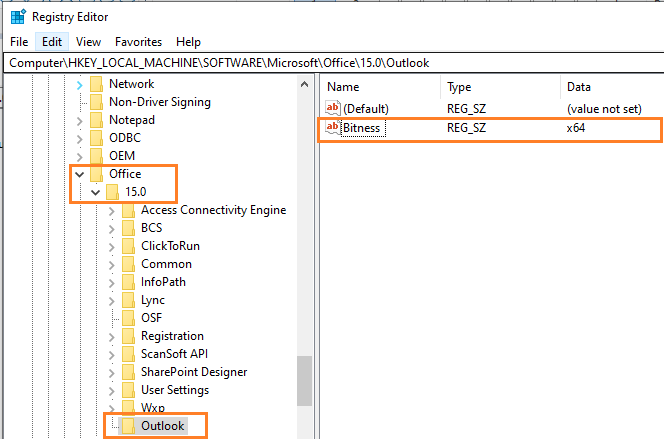
5. Re-launch Content Matrix Public Folder Edition x64


