Applies to
ApexSQL Doc
Summary
This article explains how to speed up the SQL database documentation process using ApexSQL Doc, an SQL Server documentation tool which is used for documenting SQL Server databases, SSIS packages, SSAS cubes, SSRS reports and Tableau server sites.
Some features of ApexSQL Doc, are time-consuming but may be optional for some situations. Those documenting options are grouped in the Database options tab, to allow speeding up SQL database documentation process, with the level of detail in the documentation.
|
Quick tip: Try to speed up the SQL database documentation by visiting the Database options tab in ApexSQL Doc, and select only the options that are actually needed. Unchecking some of these options can significantly reduce documenting time. |
Below is the brief overlook for each of the performance intensive options and their impact on the process:
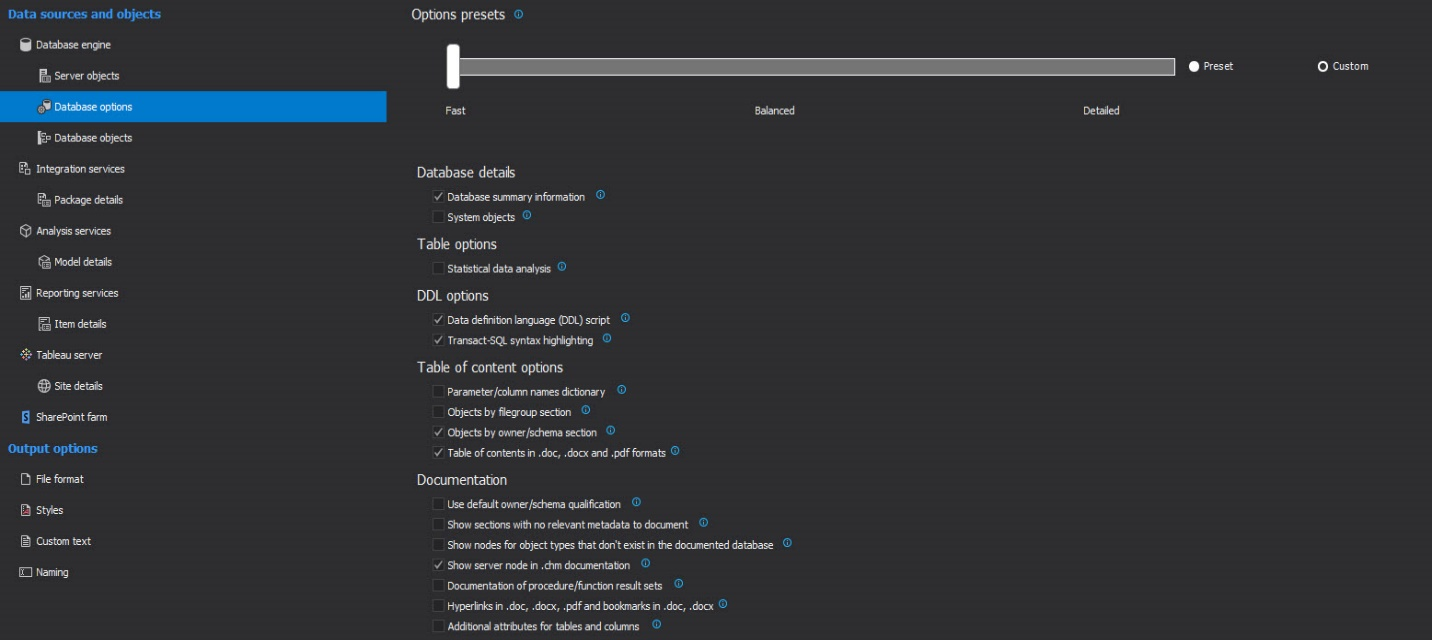
Database details – very high performance impact
System objects – This is by far the most demanding option in terms of performances. When checked, the final document will contain information, including their dependencies, on system objects like system tables, stored procedures, functions and so on. In most cases, such information is not necessary and is therefore disabled by default.
Table options – high to very high performance impact
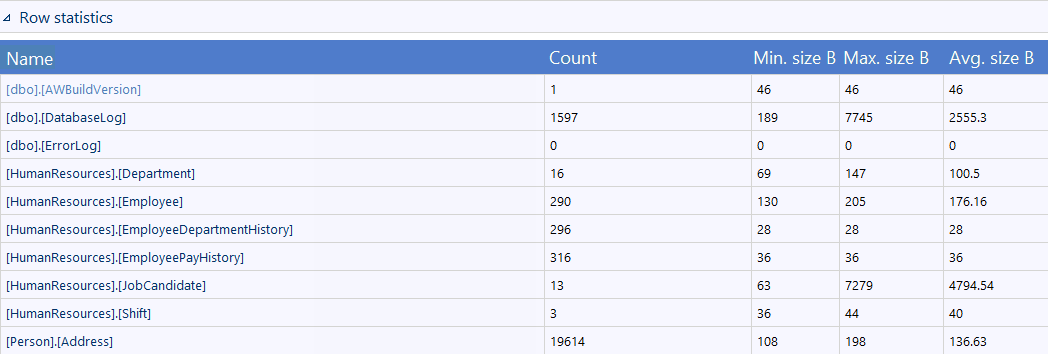
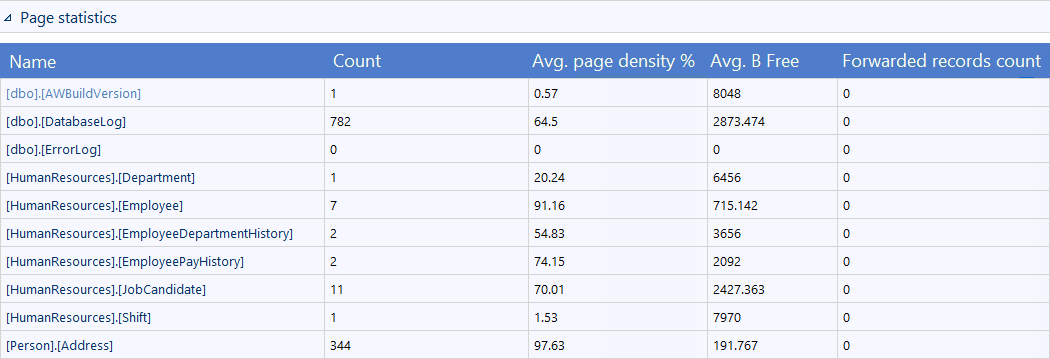
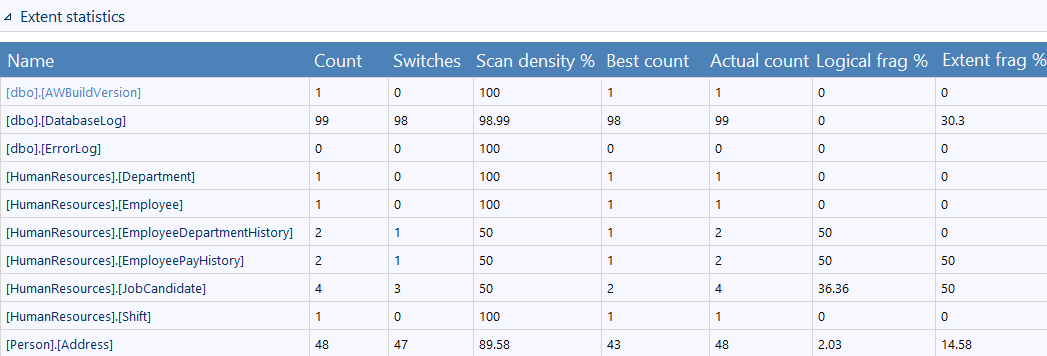
Statistical data analysis – This option tracks and analyzes statistical data for each SQL table. It provides page, extent and row statistics, which is a time-consuming operation on large or work-loaded SQL databases. The results for each is then included in the generated document:
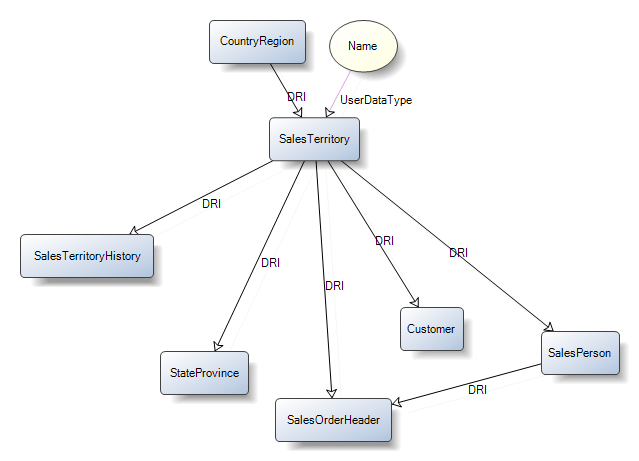
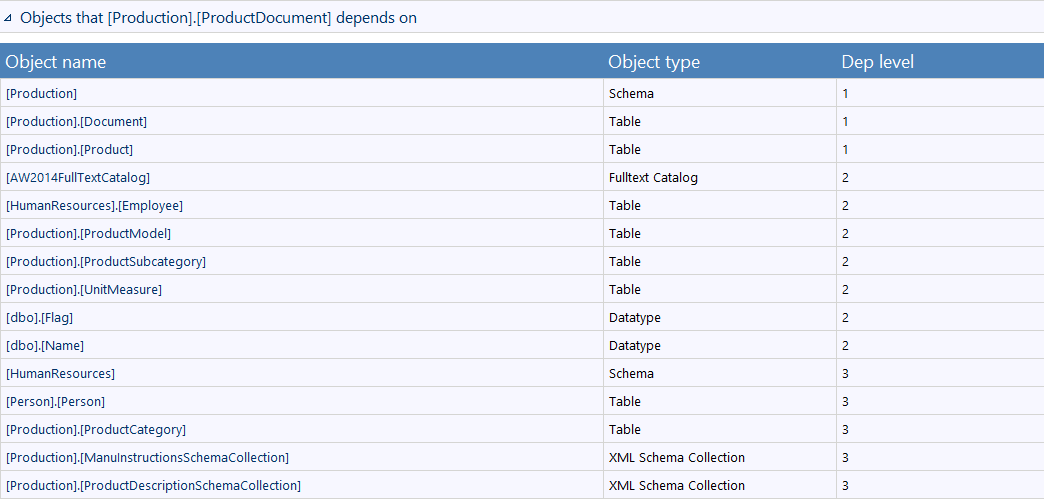
Dependency options – high performance impact
Data model diagrams - medium performance impact
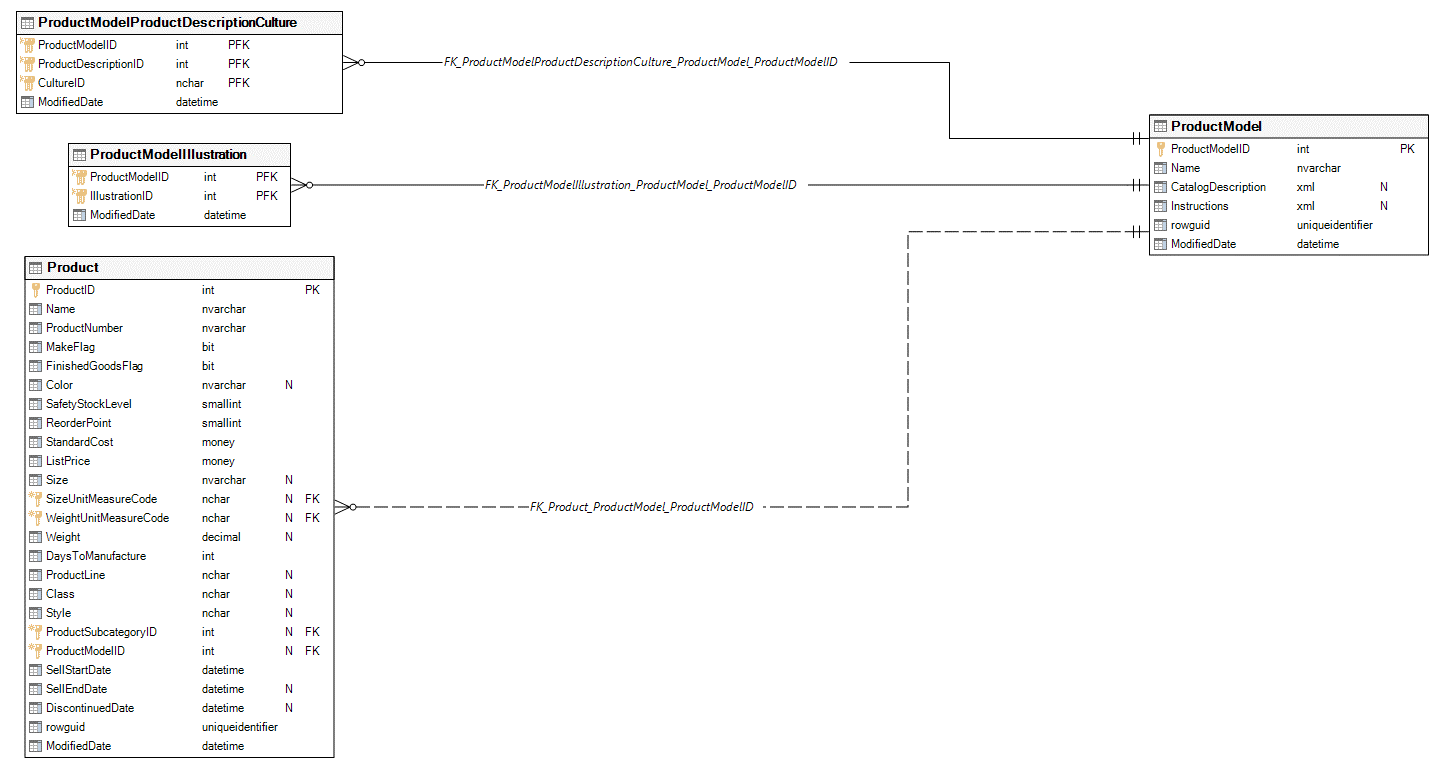
This option will include Data model diagrams in the documentation which will graphically display database tables and their relationships using standard Entity-relationship notation.
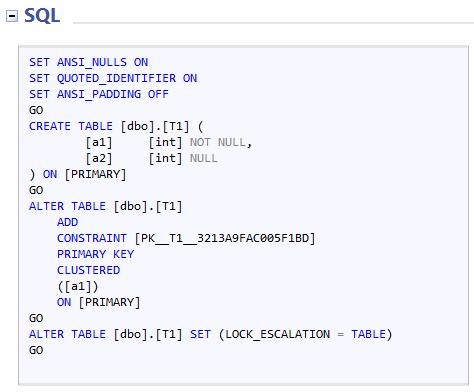
DDL options – medium performance impact
Documentation – medium performance impact
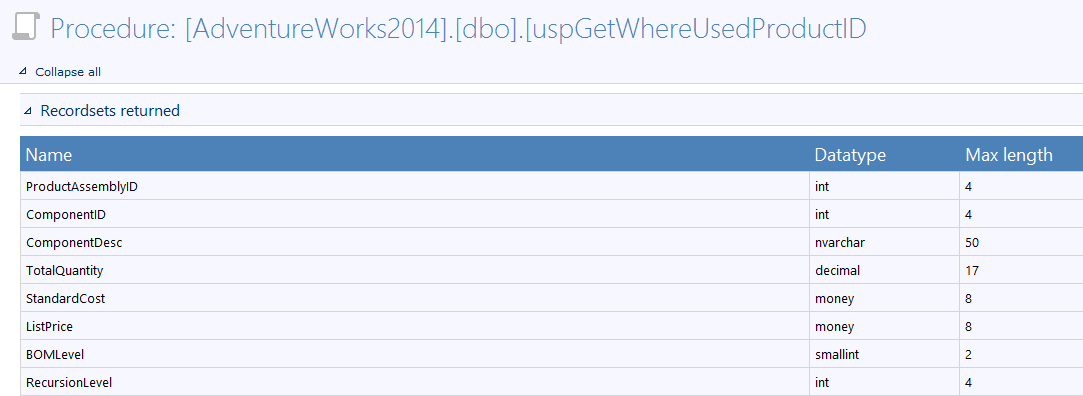
Documentation of procedure/function result sets – This option will include procedure/function result sets. This option causes extra calls to the SQL database in order to define result sets
Q: Can I document multiple databases and have separate documentation for all of them in one document?
A: Yes, for that you must select multiple databases before generating the documentation.
Q: What is the basic information shown for each table?
A: The basic information which is shown in every table are the names of table column names, data types, nullability of column values, foreign keys, primary keys, primary and foreign key constraints.
Q: What types of relationships are shown in the Data model diagrams?
A: Non-identifying one-to-many relationships, identifying one-to-one relationships and Identifying one-to-many relationships.
Q: I have a lot of sections that contain info such as: "No extended properties defined", "No statistics exist" and "No check constraints exist". Can I hide a section if it’s empty?
A: Yes. Uncheck option Show sections with no relevant metadata to document


