To perform clean re-install of ApexSQL Audit, do the following:
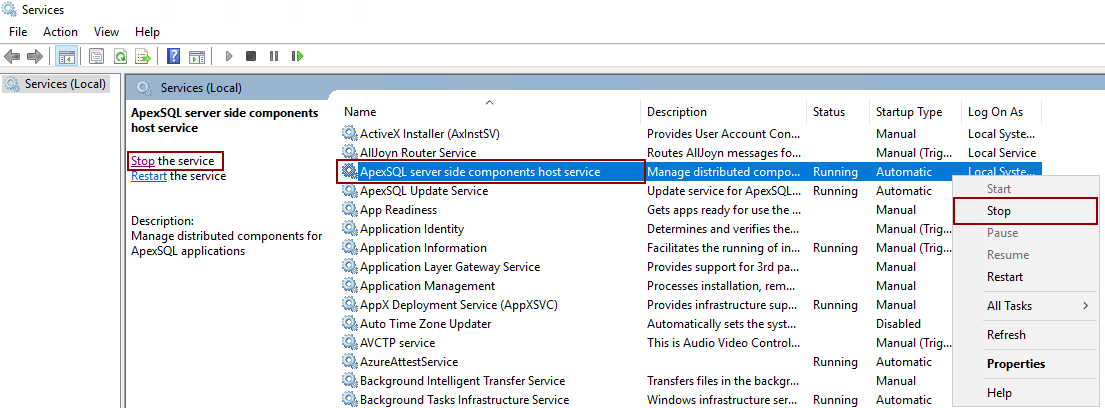
1. Open the Services from the Start menu and stop ApexSQL server-side components host service
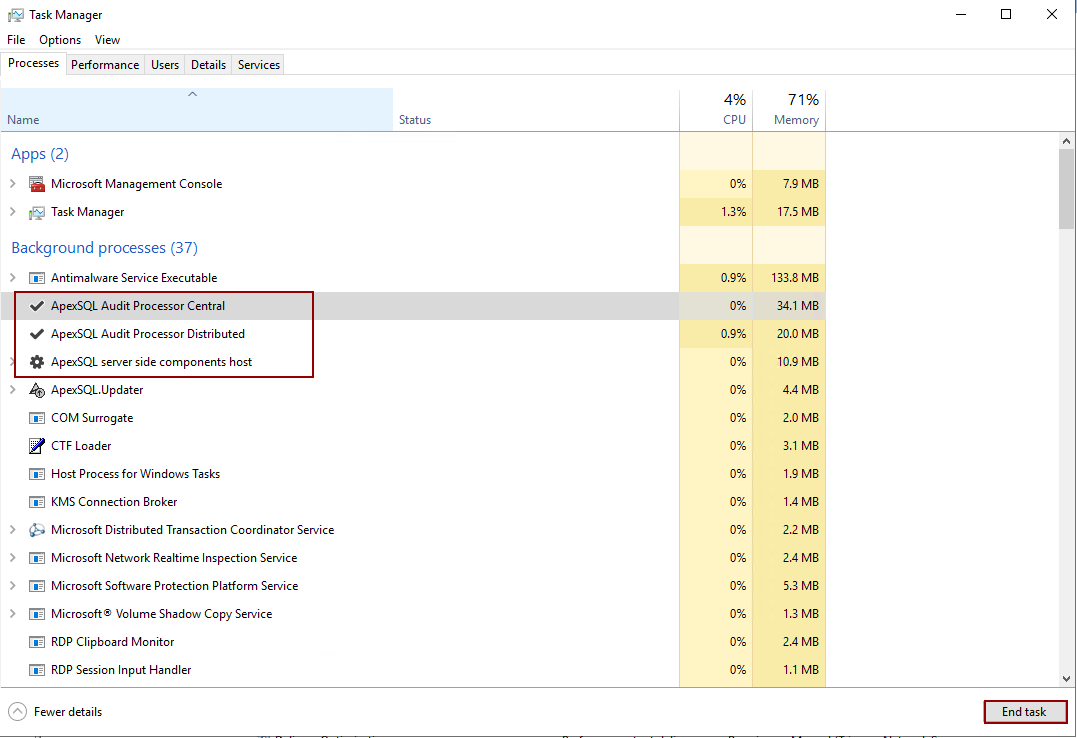
2. Then open the Task Manager window and terminate all ApexSQL Audit processes with click on the End task button
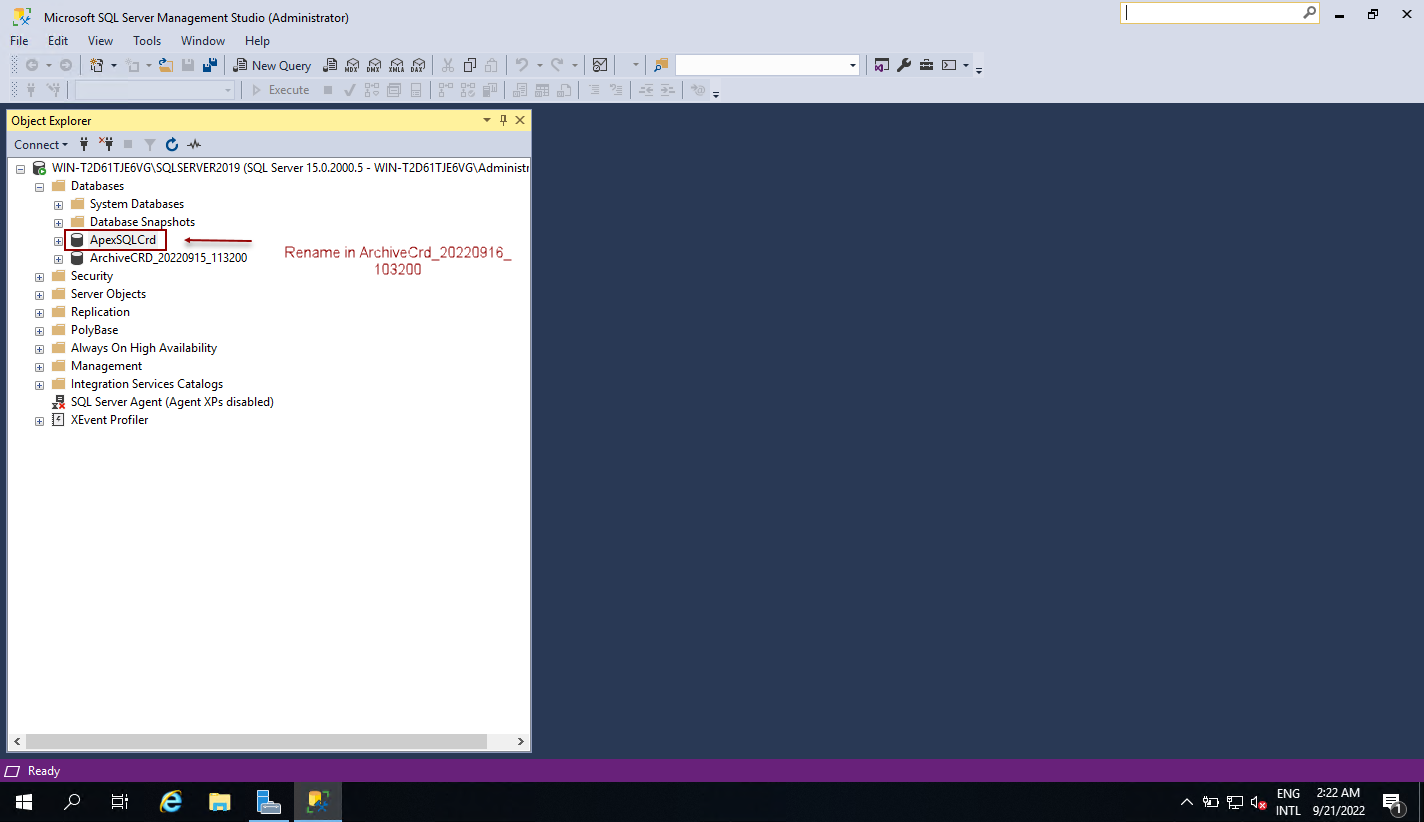
3. After that open SQL Server Management Studio Connect to the Central Server and ApexSQLCrd database renamed in for example ArchiveCRD_timestamp
4. Go to the following locations and delete ApexSQL Audit folders:
If you have any packages in the Packages folder move them to some other location, then proceed with deleting the ApexSQLAudit folder from the C:\ProgramData\ApexSQL\ApexSQLAudit location
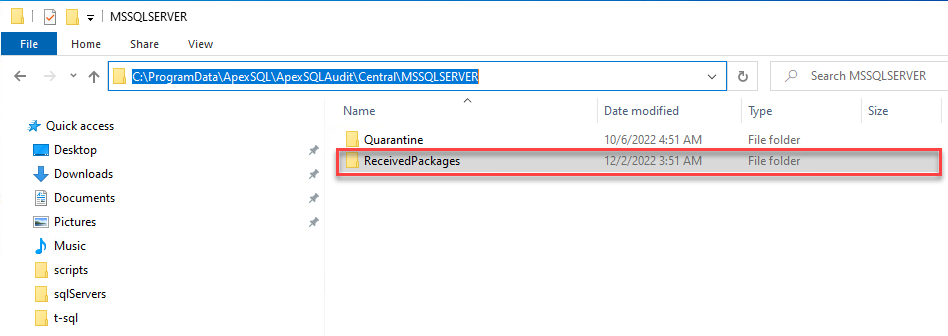
Delete ApexSQL Audit folders from the following locations:
C:\Program Files\ApexSQL\
C:\Users\<current_user>\AppData\Local\ApexSQL\
5. When everything is finished, run the ApexSQL Audit installer as Administrator and complete the installation

