Exporting to delimited text format will be much faster than either of the Excel formats.
The Excel formats may cause your PC to run out of memory when exporting so many rows.
The Delimited Text format will not. Make sure that "Display all selected records in grid" is NOT checked.
To do that follow the steps below:
1. Right-click the data grid and select the "Export Dataset" option.
2. The Export Data windows appears, select "Delimited Text" under Export format. The option to specify the output file will be disabled.
3. Change the options according to preference.
4 .Make sure that "Display all selected records in grid" is NOT checked
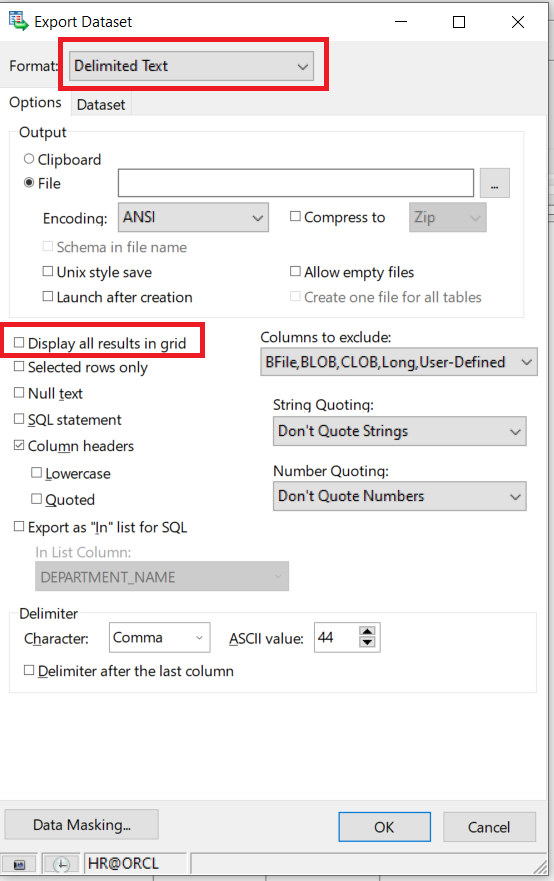
5. Click OK and export will begin. This will take a few minutes.
6. Once the export is completed, the Toad will output the total number of rows that have been exported.

