Chat now with support
Chat with Support

Foglight for Storage Management Shared 4.4.5 - User and Reference Guide

Getting Started Monitoring Storage Performance Investigating Storage Devices Investigating Storage Components Troubleshooting Storage Performance Managing Data Collection, Rules, and Alarms Understanding Metrics Online-Only Topics

Collecting Virtual Storage-to-SAN Relationships

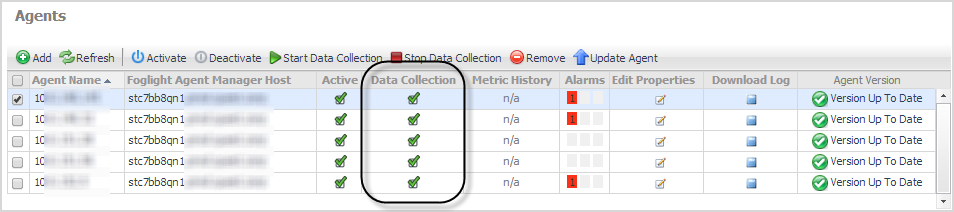
To include virtual storage-to-SAN relationships in your topology diagrams, you need to enable storage collection on your VMware or Hyper-V Performance agent. If you did not enable this option when defining the agent, you can enable it by editing the agent.

1
On the navigation panel, under Dashboards, click VMware > VMware Agent Administration or Hyper-V > Hyper-V Agent Administration.
4
Select the Enable Storage Collection check box and click Save.

Inferring Physical-Host-to-Storage Relationships

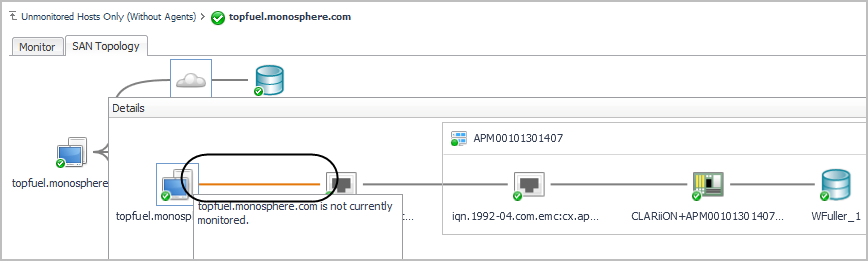
If you want to understand how storage resources are being accessed by the physical hosts in your network, without using agents to monitor the hosts directly, you can enable dependency processing. Dependency processing collects FC switch zone information and LUN connection information from arrays and filers, analyzes each host port used for storage I/O, and infers the (most likely) physical host associated with the port. When dependency processing is enabled, relevant topology diagram are enhanced to show inferred hosts connected to the ports that are used for storage I/O. Connections from inferred hosts are shown as orange or blue lines.

In future, if you decide you want to collect data about inferred physical hosts, you can begin monitoring the hosts by configuring Infrastructure agents. For instructions, see Reviewing Inferred Hosts.

Enabling Dependency Processing

Dependency processing requires that you have VMware Performance agents configured to monitor your vCenters, and that storage collection is enabled on the agents. For more information, see “Configuring VMware Performance Agents” in the Foglight for Storage Management Installation Guide.

1
On the navigation panel, under Dashboards, click Storage & SAN > Storage Environment.
2
Click the Administration tab.
3
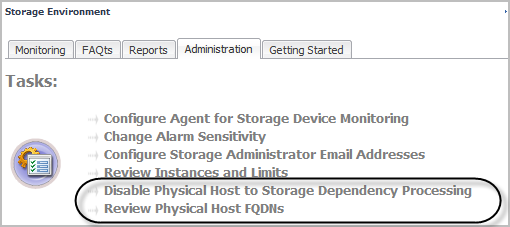
Click Enable Physical Host to Storage Dependency Processing.

Reviewing and Editing Host-Port Assignments

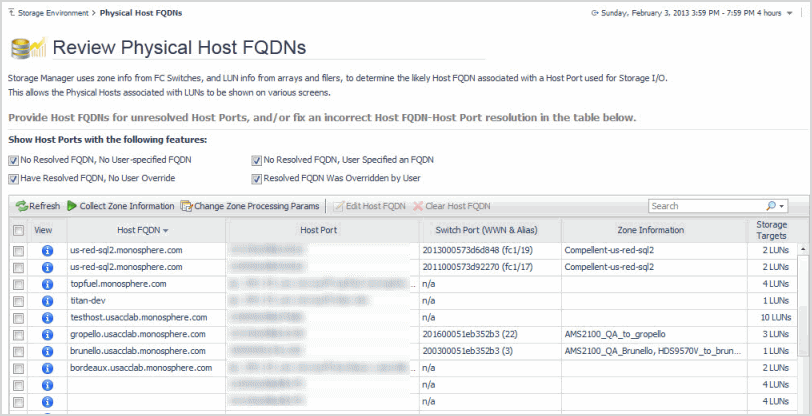
After enabling dependency processing, it is a good idea to review the list of inferred hosts derived from this process. You can verify that the inferred hosts are correct for the specified port, fix errors, and provide missing host names. For this task, you use the Review Physical Host FQDNs dashboard.

1
On the Storage Environment dashboard, in the Administration tab, click Review Physical Host FQDNs.
b
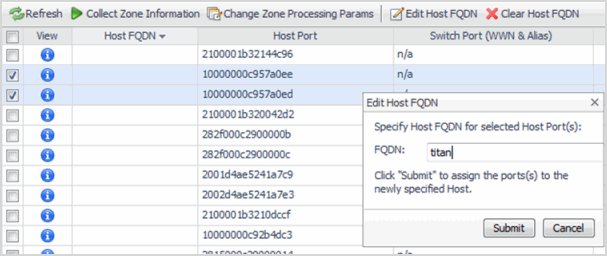
Click Edit Host FQDN.
Related Documents

The document was helpful.

Select Rating

I easily found the information I needed.

Select Rating