If using Configuration Templates then the following is the process to make changes to the template (config-xxx.ini):
1.) "Advanced Wizard Settings" will need to be enabled (checked) in the MNE Migration Manager
a. Click on the menu button in the upper-right of the MNE Migration Manager
b. If "Advanced Wizard Settings" is not checked, then select it to enable the setting
2.) Click on the Migrate User Data screen in the MNE Migration Manager console
3.) Click the Migrate button
4.) Select the template you wish to modify from the drop-down menu
5.) Check "Modify this template"
6.) Click Next
7.) Click on the Edit button to edit the template (config-xxx.ini)
8.) Make the changes to the template (config-xxx.ini) file and save and close it as normal
9.) Continue through the migration wizard
10.) You can either schedule the migration task to run, or on the "Specify Task Schedule" screen you can click Cancel to successfully save the new changes:
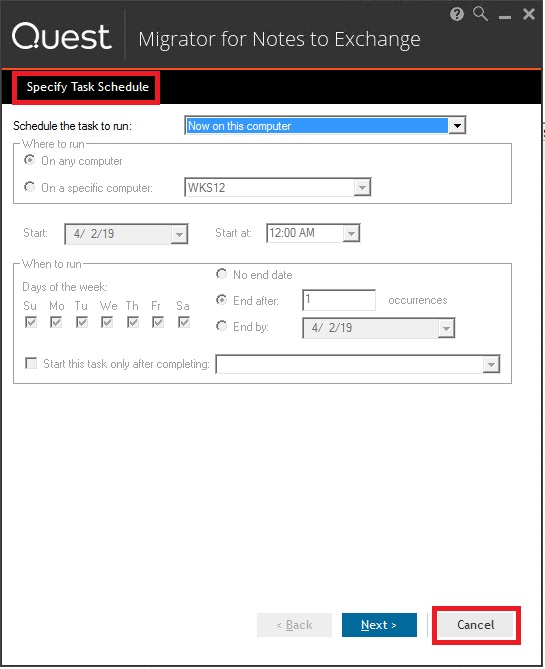
Once the task has been run, it will be noticed in the logs that the new configuration is listed.
This method must be used as the (config-xxx.ini) is tied to the Configuration Template at time of creation.

