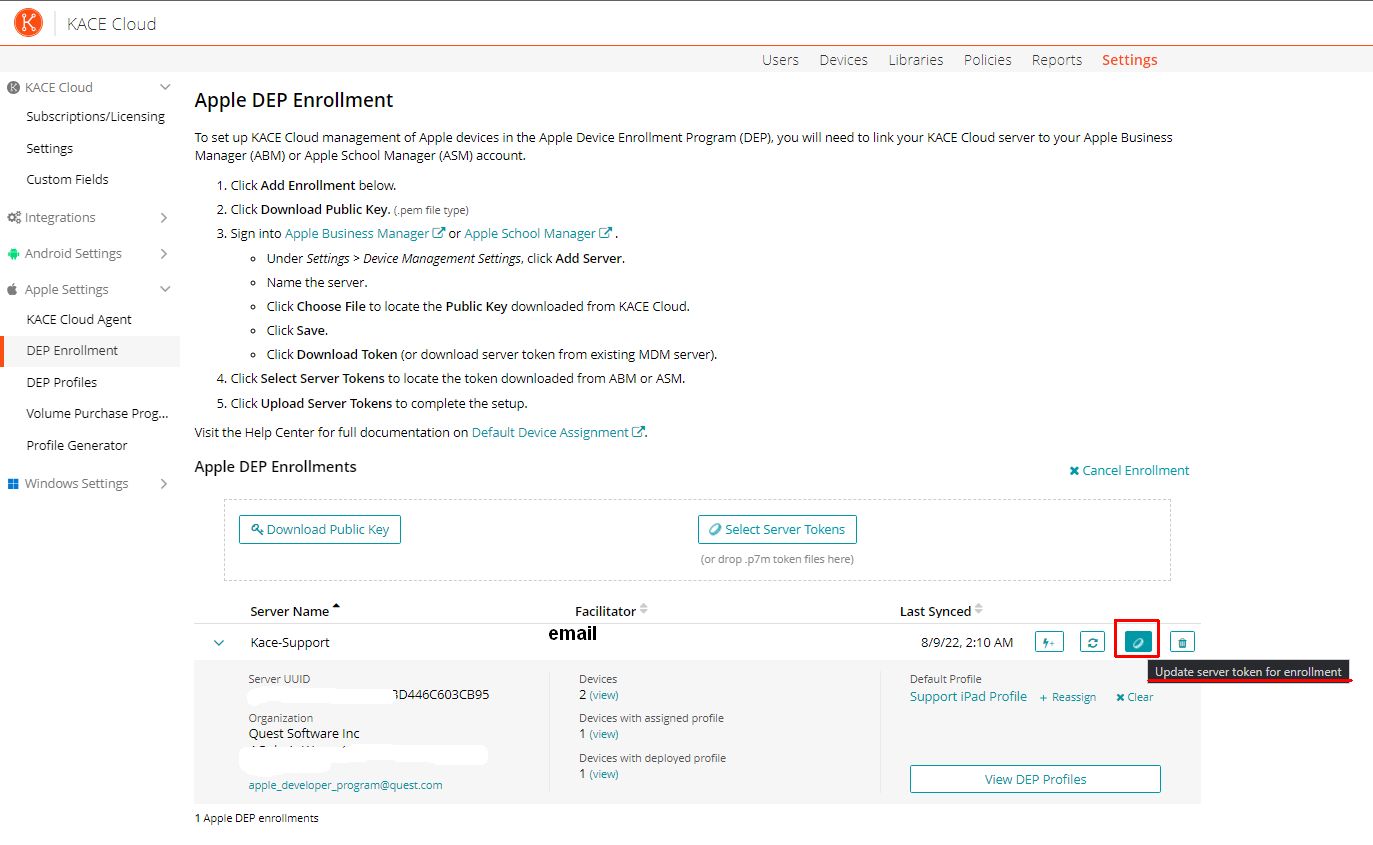
To upload a new DEP Token do the following:
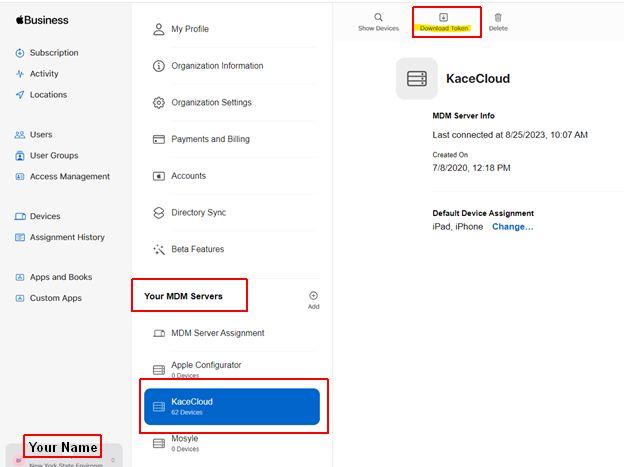
- Log in to Apple Business Manager.
- Click your name at the bottom left of the screen and go to Preferences.
- Under Your MDM Servers, select the respective server.
- Click on Download Token at the very top of the screen.
5. Log in to Kace Cloud.
6. Navigate to Settings | DEP Enrollment.
7. Click the little Coin ICO to upload the new DEP Token.