FMS (Management Server) fails to install/upgrade.
Windows FMS fails to upgrade to version with message Error: could not open '[FMS_HOME]\jre\lib\jvm.cfg
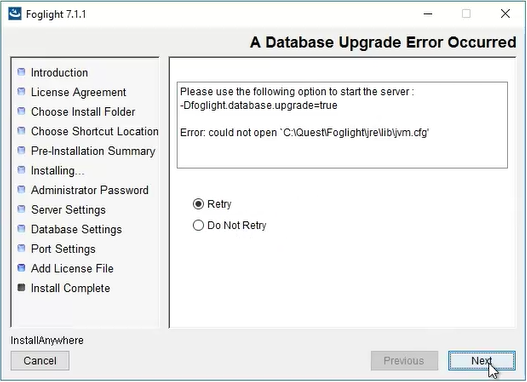
This issue is known to be caused by Dynatrace, but other third-party products could also interfere.
For Linux hosts.
Deactivating Dynatrace OneAgent appears to be sufficient to resolve this issue and complete the installation/upgrade process.
If the issue is a FglAM upgrade, the service/daemon needs to be restarted while Dynatrace is deactivated before trying to upgrade.
Dynatrace can be reactivated once the process has completed.
For Windows hosts.
Option 1:
Option 2:
C:\Program Files\dynatrace\oneagent to C:\Program Files\dynatrace\_oneagent)C:\Program Files\dynatrace\_oneagent to C:\Program Files\dynatrace\oneagent)
