Introduced with Evolve 2018, Smart Crumbs brings a breadcrumb trail to the top of your site page.

Smart Crumbs can be enabled in the Site Settings.
Select the Home tab.
Select the root Site node in the Layout's Tree.
See the option to Enable Smart Breadcrumbs in the options in the right hand pane.

The breadcrumb will expand as you navigate from the site menus, showing the menus and objects you navigate through.
The breadcrumb will offer a drop down list at each page node, showing recent objects/pages of the same type.
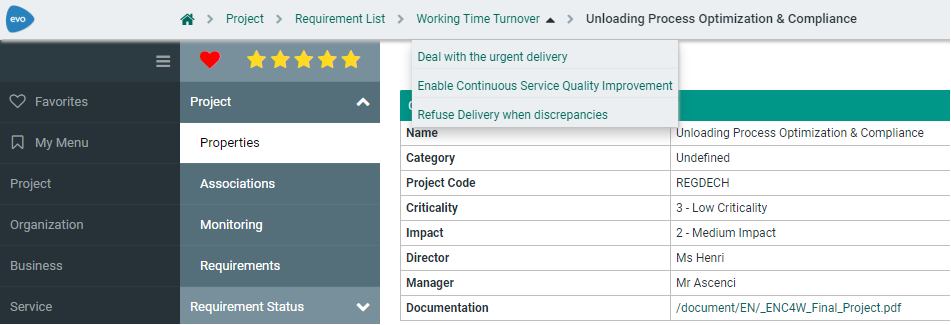
|
|
Both Smart crumbs and Diagram navigator are available, provided you are running version 2018 or above. |
|---|
Related Topics


