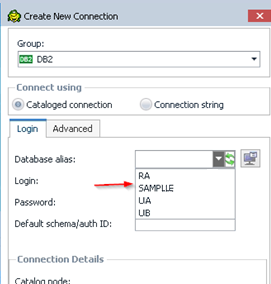
There are cataloged DB2 connections under the DB2 Command Line Processor. The command "list database directory" show entries.
How to check if the userid that runs Toad belongs to DB2ADMNS and DB2USERS groups?
Toad database alias list does not get populated with DB2 catalog entries.

However, the Toad dialog don't populate the DB2 entries.

The UserID which runs Toad needs to belong to DB2ADMNS and DB2USERS groups in order to show the database connections in the Toad dialog box.
How to check if the UserId which runs Toad belongs to DB2ADMNS and DB2USERS groups?
WORKAROUND:
1) Check the registry key HKEY_LOCAL_MACHINE\SOFTWARE\IBM\DB2\GLOBAL_PROFILE.
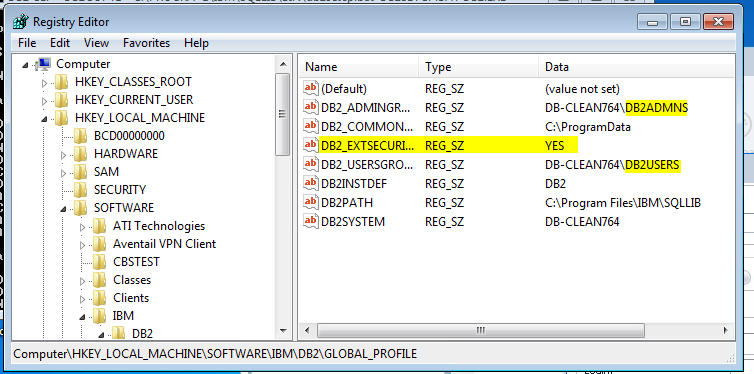
If the DB2 External Security is ON, then both Windows group names (DB2ADMNS and DB2USERS) are displayed. If the UserId which runs Toad is not in those groups, the issue appears.
2) Download the zip file questapi.exe. This is a program that uses the same API calls as Toad to list the database entries. If an error appears, it indicates that the catalog can't be accessed by the API due to security restrictions.
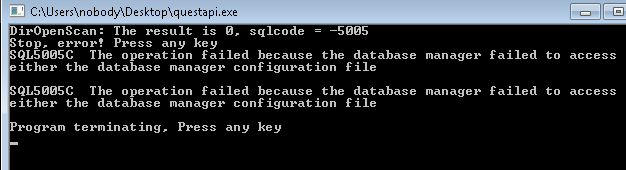
- For that case, add the user to the groups in Windows.
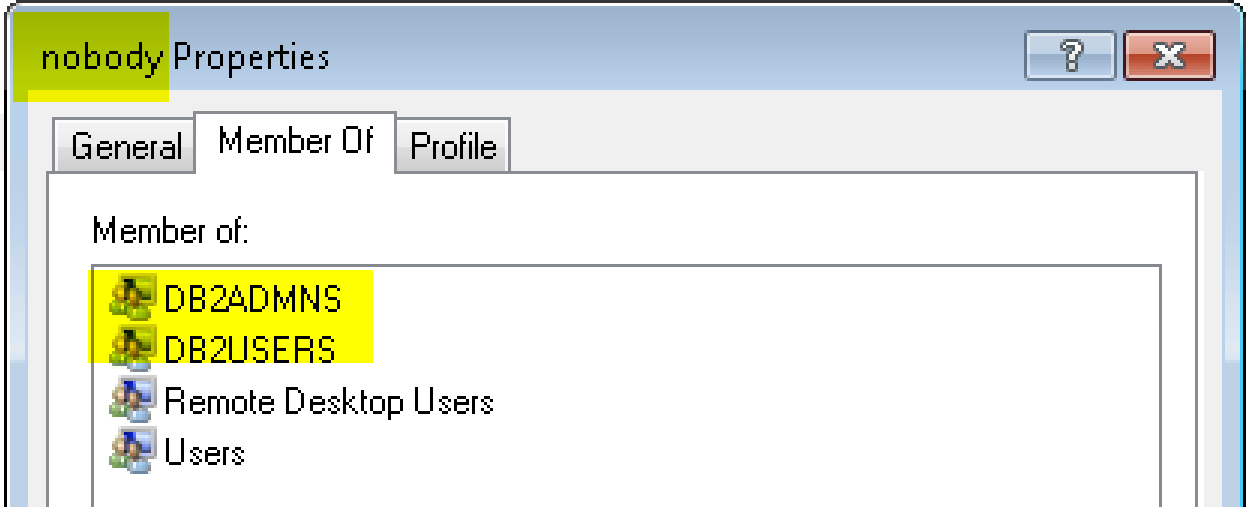
- Re-execute questapi.exe. Databases should be listed.
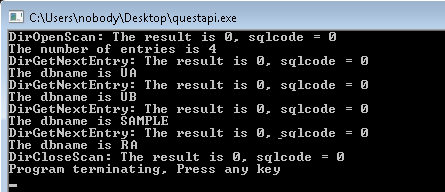
- Toad will list the databases too.