Error:
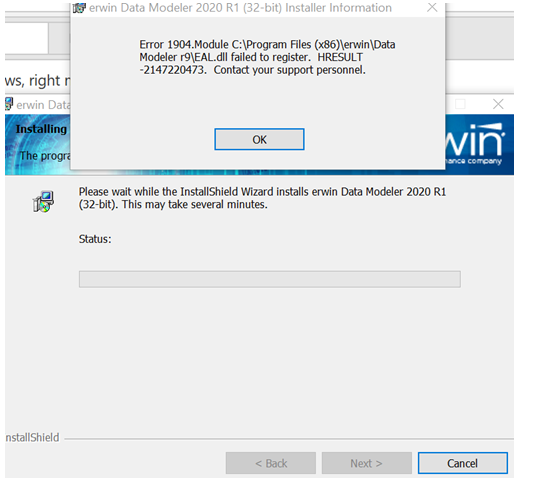
Solution:
This solution has worked for many other users, so perhaps a step may have been missed. Please try the following:
1. Remove and reinstall the VC++ 2005, 2008, 2010, 2012, 2013 and 2017 redistibutables (please see the URL below).
https://www.microsoft.com/en-us/download/details.aspx?id=40784
2. Uninstall any 9.x, 2018 R1, 2019 R1 or 2020 R1, 2020 R2 version of erwin DM.
3. In the Registry delete the references to erwin DM (search for erwin).
4. Run '2020R1_SP1_Uninstall_Fix.exe' patch as attached with the TechDoc which can be accessed from the following URL:
https://support.erwin.com/hc/en-us/articles/360045027352-MFC140-dll-and-Code-Execution-errors-when-uninstalling-and-reinstalling-erwin-DM-2020-R1-or-2020-R1-SP1-64-bit-
5. Reboot and reinstall erwin DM.
If this does not resolve it then most likely it is PC specific issue which may need to be re-imaged as the internal InstallShield app. or some profile in that PC may have been compromised.

