Prior to Evolve 2018, diagram hierarchy navigation was performed purely through the diagram drill downs, and an in-page bread crumb trail. This trail was only integrated into the page, and could cause a little confusion with regards to the outer page content. Since the 2018 release a new diagram navigation has been added, that offers a much more visual experience.
As with Smart Crumbs, the Diagram Navigator feature is always enabled, and available to all users.
You will see this new feature as a simple icon above any diagram in your site. See below:
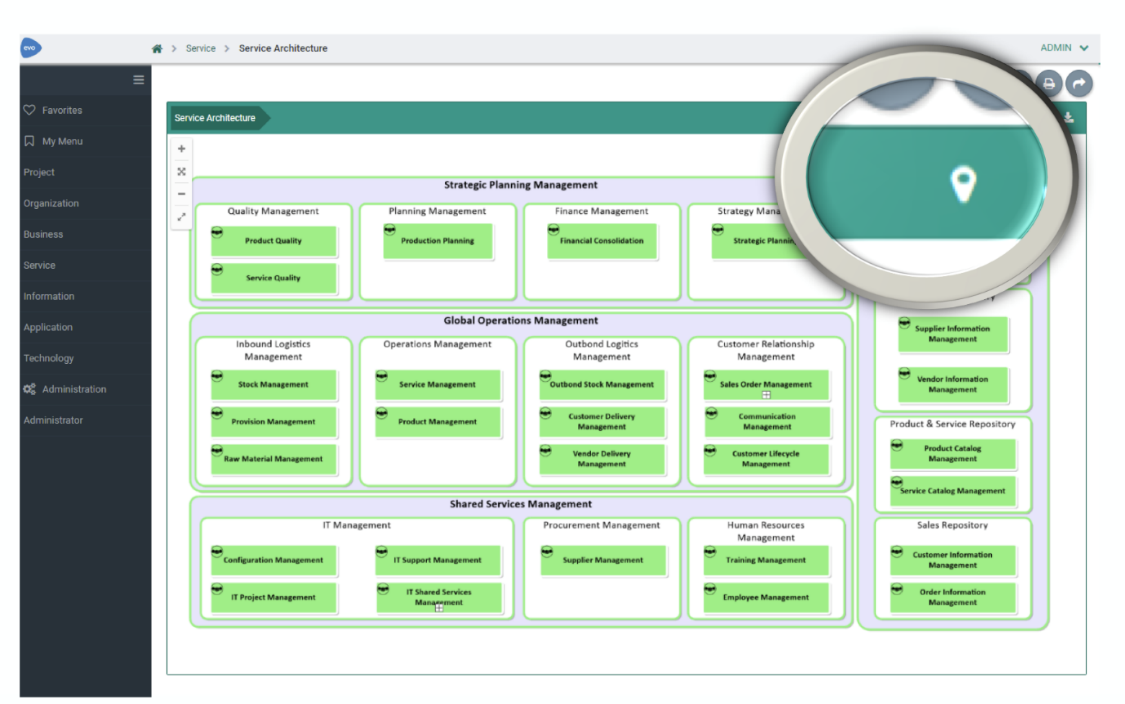
When viewing a diagram, pressing the new icon will launch the Diagram Navigator
The navigator will show the current diagram at the centre, with arrow-nodes representing each shape on the diagram, that drills down to child diagrams.
Selecting one of these arrow-nodes will highlight the single/multiple child diagrams that 'explode' from this shape.
Selecting the child diagram shapes, will display a diagram preview at the top left of the Navigator

Double-clicking on a child shape will drill down and re-center the Navigator around that diagram.
Clicking on the "open" icon on any of the diagram shapes, will open the diagram fully.
|
|
Both Smart crumbs and Diagram navigator are available, provided you are running version 2018 or above. |
|---|
Related Topics


