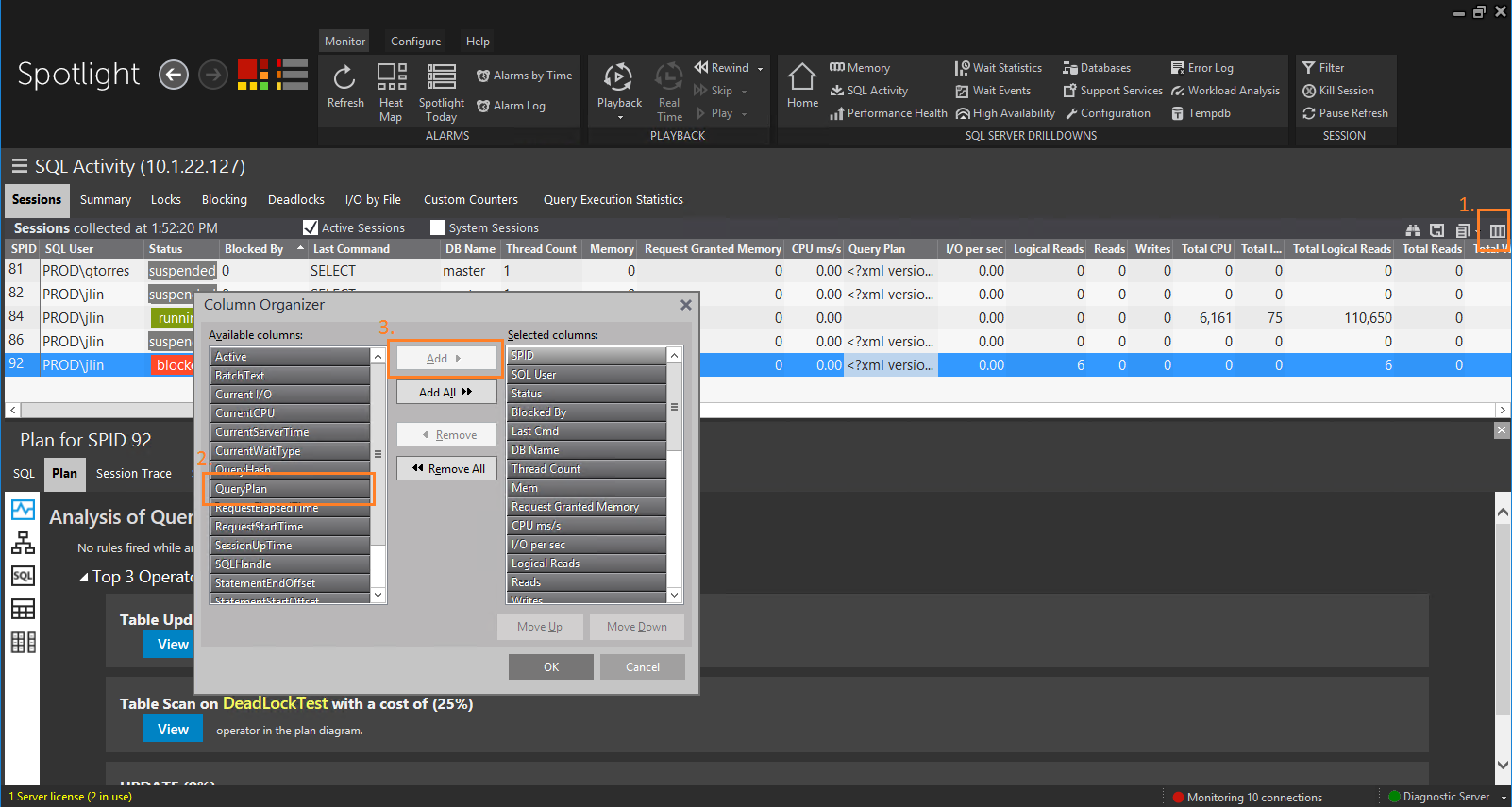
1. In the SQL Activity drill down dashboard, click on the "Organize Columns" icon
2. In the Column Organizer windows, move "Query Plan" to the visible columns side
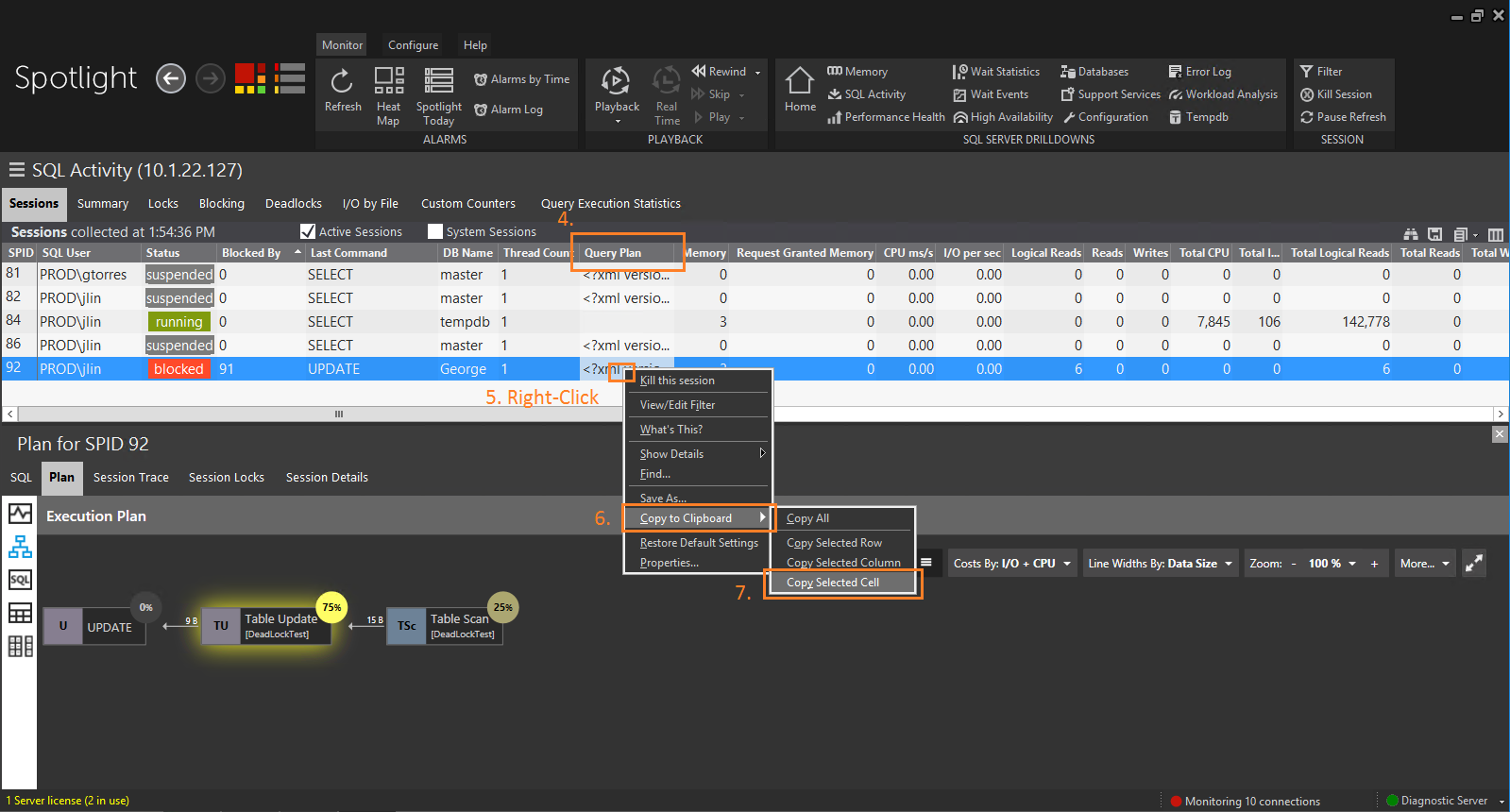
3. Once the "Query Plan" column shows up, right-click on the cell of the query plan that you would like to save
4. Choose "Copy to clipboard" > "Copy selected cell"