The environment on both source and targets are properly set up and working.
The users and computer accounts sync fine. The ReACL works fine.
But during the BT-Cutover step, the BT-Cutover message shows "Result Code 32768: Domain Join Failed with error 2242" followed with rollback messages "Result code: 0 Cannot validate argument on parameter 'ComputerName'. The argument is null or empty. Provide an argument that is not null or empty, and then try the command again." error.
BT-Cutover message shows "Result Code 32768: Domain Join Failed with error 2242".
The password of the Service account to perform the cutover action has expired and needs to be updated.
1) Customer/partner is required to Reset/Update the password from Domain Controller.
2) Customer/partner is required to Update the credentials as shown below.
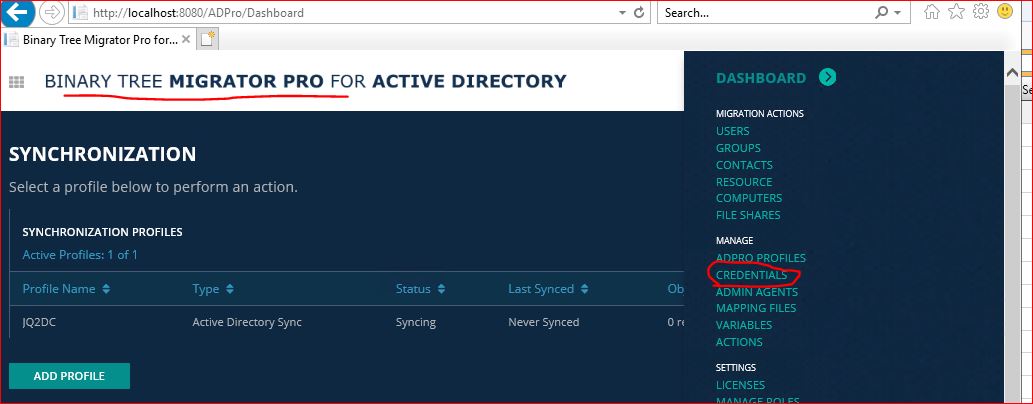
a) Navigate to AD Migrator Pro Dashboard sample as shown below:
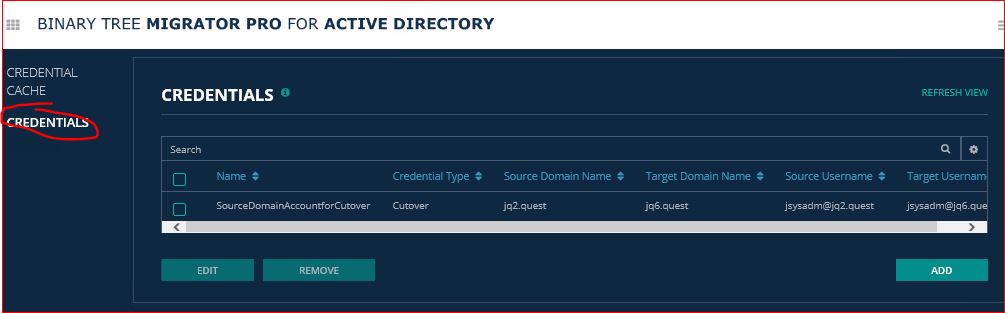
b) Click on Credentials on the left Pane sample as shown below:
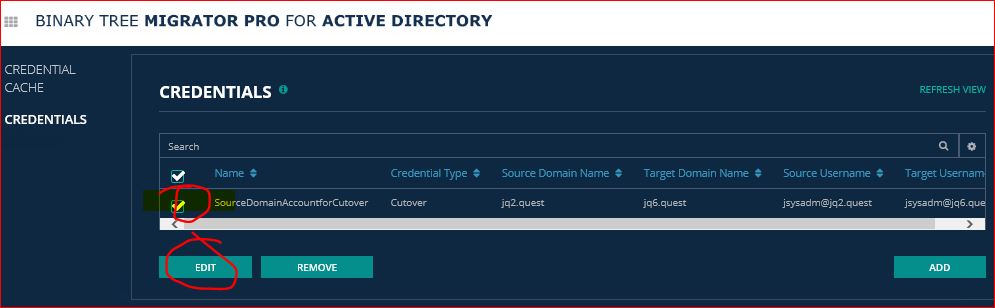
c) Select the Credentials needed to update and click on Edit:
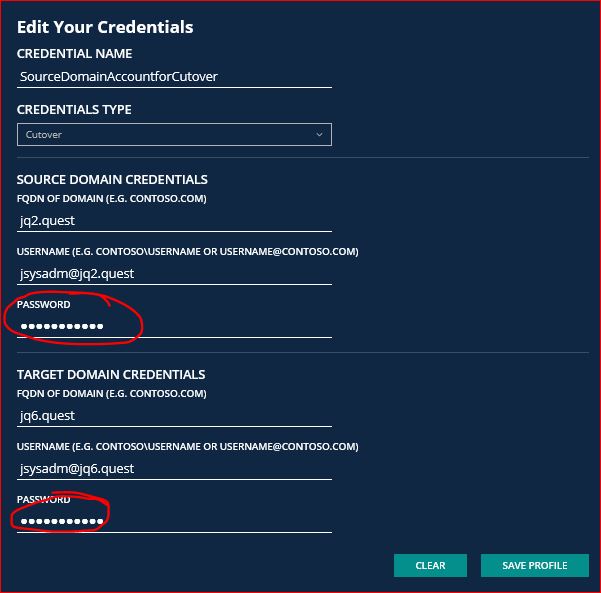
d) Update the credentials and click on 'Save Profile' as shown below:
3) You can then proceed with ReACL and cutover.

