When Using Essentials Sharepoint Connection Wizard to connect to Sharepoint 2013 Getting Pop out of Connection Failed: null
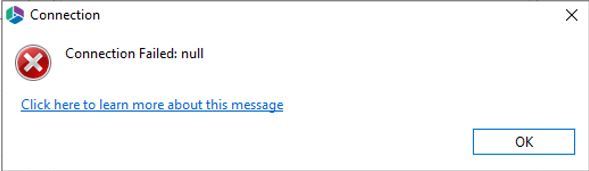
The error can occur from multiple causes.
1) Custom Site Collection URL has been used while connecting to the SharePoint as below example
- https://companyname.sharepoint.com:/sites/site-name/
- https://companyname.sharepoint.com:/customsites/site-name/
2) If the Proxy server is used, URL to be connected is not configured as a whitelist in Proxy Server.
3) User Name Password is not entered correctly.
4) Account use does not have enough permission.
1) Using a Default Site Collection URL, It can be grabbed from the below path of the SharePoint Admin Center
Admin Centers > SharePoint > Site Collections
By default, it will be at the Top of the URL list. starting from https:// and ends with port number or none if port 443 is used
Default Site Collection URL: https://companyname.sharepoint.com:< port Number>
Remove all custom Collection Value after Port number of the URL while connecting to the SharePoint 2013 if SharePoint Admin Center can't be access
Example of Default Site Collection URL: https://companyname.sharepoint.com:< port Number>
2) Confirming the URL has been added to the whitelist of the proxy server, else disable proxy server to connect to SharePoint Server.
3) Verify the Username and Password has not mismatched, best to manually type in as sometimes copy-paste will have a different character.

