There might be need to use different sync criteria than the default. In this case the customer wanted to use the Value AvailableforDirSync=0. The default value for this parameter is 1
To resolve this issue, Navigate to the Quest CMN Directory Connector directory. Then in tools\global\sourcedef there is a file called notes.txt. Carry out the followig steps:
There are some more settings to set. Now open the CMN Configurator and Edit the Connector
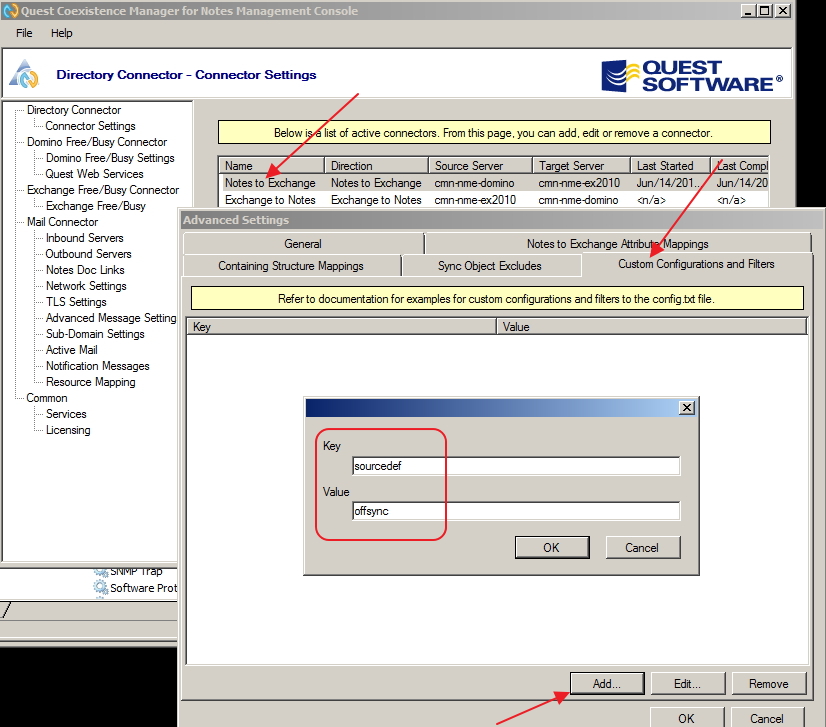
Edit the connector you are using and go to Advanced then custom configurations and filters.
Add the key
sourcedefoff
VALUE name of file you created in custom
Example
Key sourcedef
Value offsync
Save and Activate this Connector and then Run it.

